 Қазақ
Қазақ
 Azərbaycan
 English
 हिन्दी
 Indonesia
 Русский (др. страны)
 Русский (Россия)
 Türkçe
 العربية
 简体中文
简体中文
 繁體中文
繁體中文
 日本語
日本語
 한국어
한국어
Product and service cards in NumBuster help you showcase your business or professional skills to other users. Use them to share essential information about your offerings, whether it is a product, a service, or a specific expertise. Adding these cards makes your phone number page more informative, attracts new orders, and provides a clear overview of your activities.
Available Features
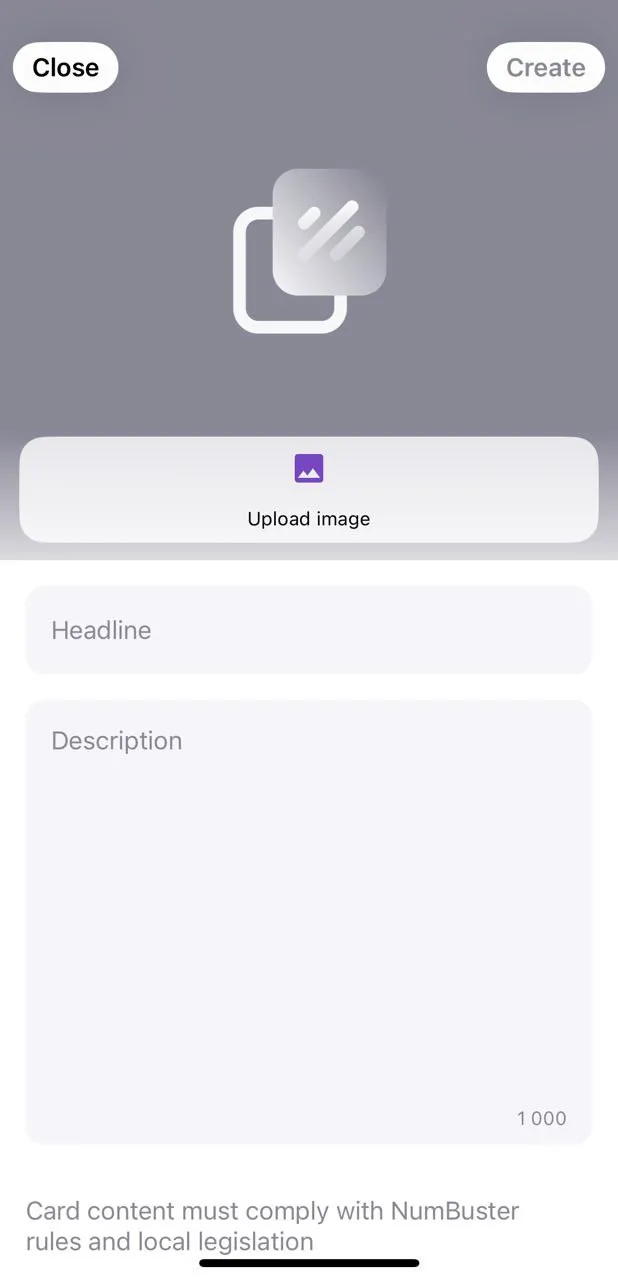
- Photo — Add an image of your product or a service sample; you may also use a company logo if preferred
- Title — Briefly state what you offer: a service, product, or skill
- Description — Add details such as details, specifications, or unique features so users understand your offer
- Multiple Cards — Create more than one card to showcase different products or services. The free version includes a limited number of cards; subscribe to add more
How to Add a Card
- Open NumBuster and go to the Profile tab in the bottom menu
- Tap Add a card
- Enter the title and description, and upload a photo
- The card is saved as a draft
- Submit the card for moderation to publish it
- Once approved, the card will appear on the phone number page you manage
 Функциялар


 Tariffs
 Анықтама