 Indonesia
 Azərbaycan
 Čeština
 English
 Español
 Français
 Ελληνικά
 हिन्दी
 Italiano
 Português
 Русский (др. страны)
 Русский (Россия)
 Türkçe
 Українська
 العربية
 简体中文
简体中文
 繁體中文
繁體中文
 日本語
日本語
 한국어
한국어
 Қазақ
Қазақ
The subscription cancellation is performed independently through the service where it was originally purchased. Deleting the app or your account does not terminate an active subscription.
Google Play Subscription
- In the Google Play app, tap the Account icon in the upper right corner of the screen.
- Select Payments & subscriptions → Subscriptions.
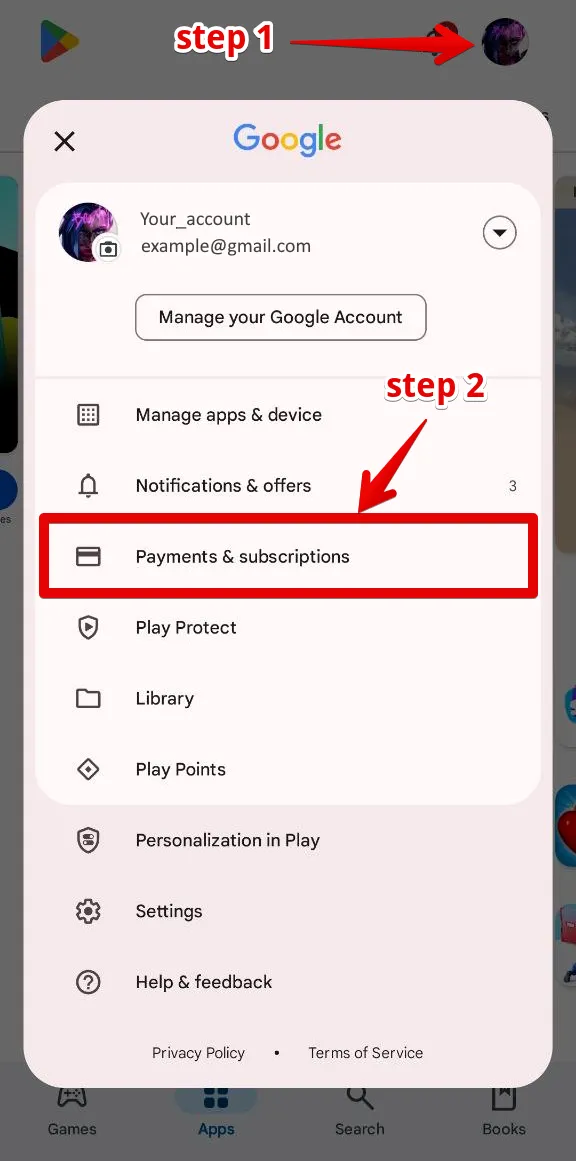
- Find NumBuster in the list and tap Cancel subscription.
- If Google suggests to pause the subscription instead, tap No and confirm with the Cancel subscription button.
WEB Dashboard on the Website
If you made your purchase through the website, subscription management takes place in your personal account.
- Open app.numbuster.com in your browser and log in.
- Go to Paid Features (wallet icon).
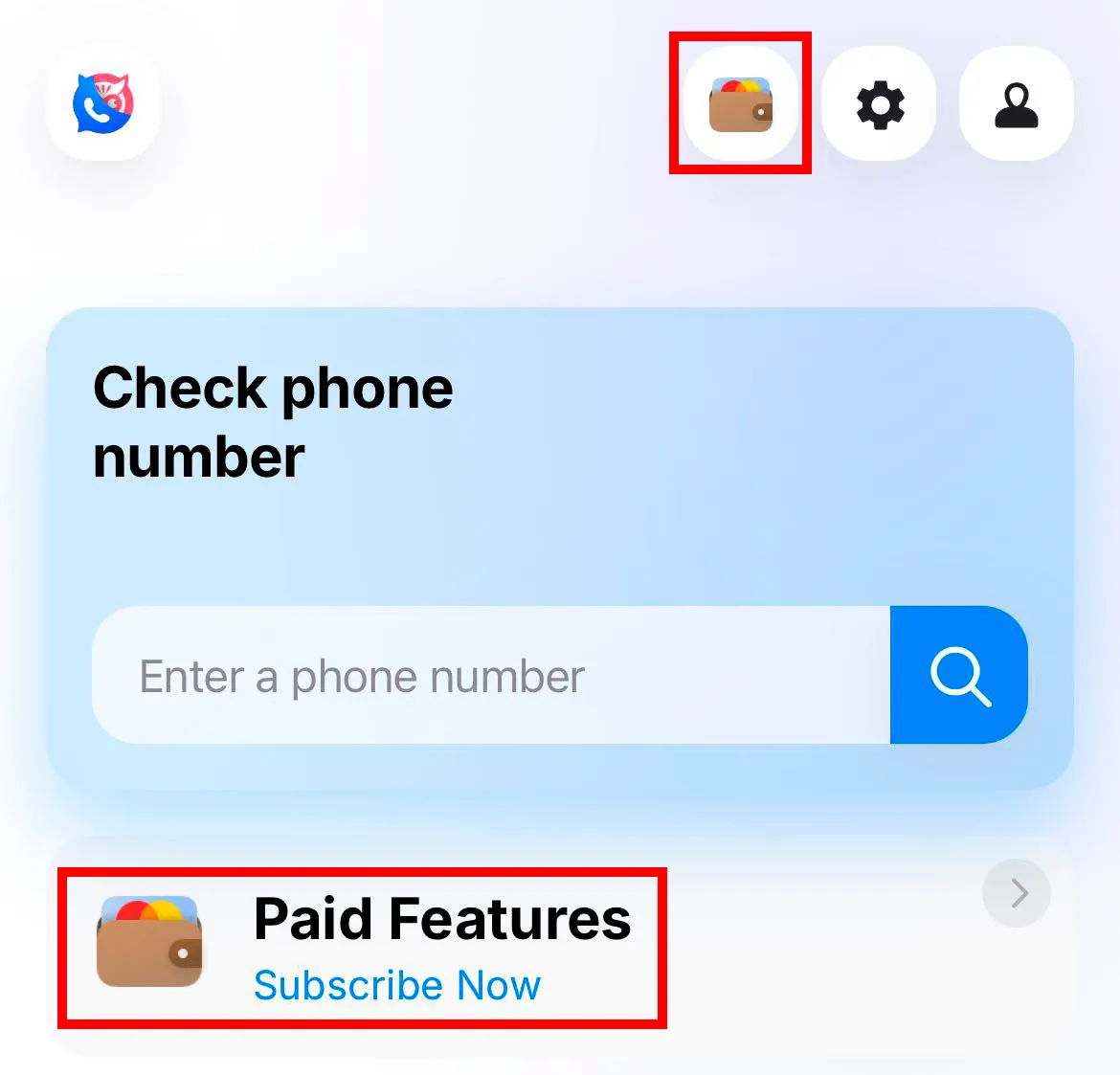
- Click the Disable renewal button.
- If the Manage payments button is displayed instead, click it and select Cancel plan.
Note: If you have already deleted your account, please contact support. In your email, specify the phone number for which the subscription was purchased. Your account will be restored so that you can cancel the subscription following these instructions.
 Fungsi


 Tariffs
 Bantuan