 हिन्दी
 Azərbaycan
 Čeština
 English
 Español
 Français
 Ελληνικά
 Indonesia
 Italiano
 Português
 Русский (др. страны)
 Русский (Россия)
 Türkçe
 Українська
 العربية
 简体中文
简体中文
 繁體中文
繁體中文
 日本語
日本語
 한국어
한국어
 Қазақ
Қазақ
You can restrict access to data on your phone number page in NumBuster. These settings help you hide unnecessary information and manage your profile.
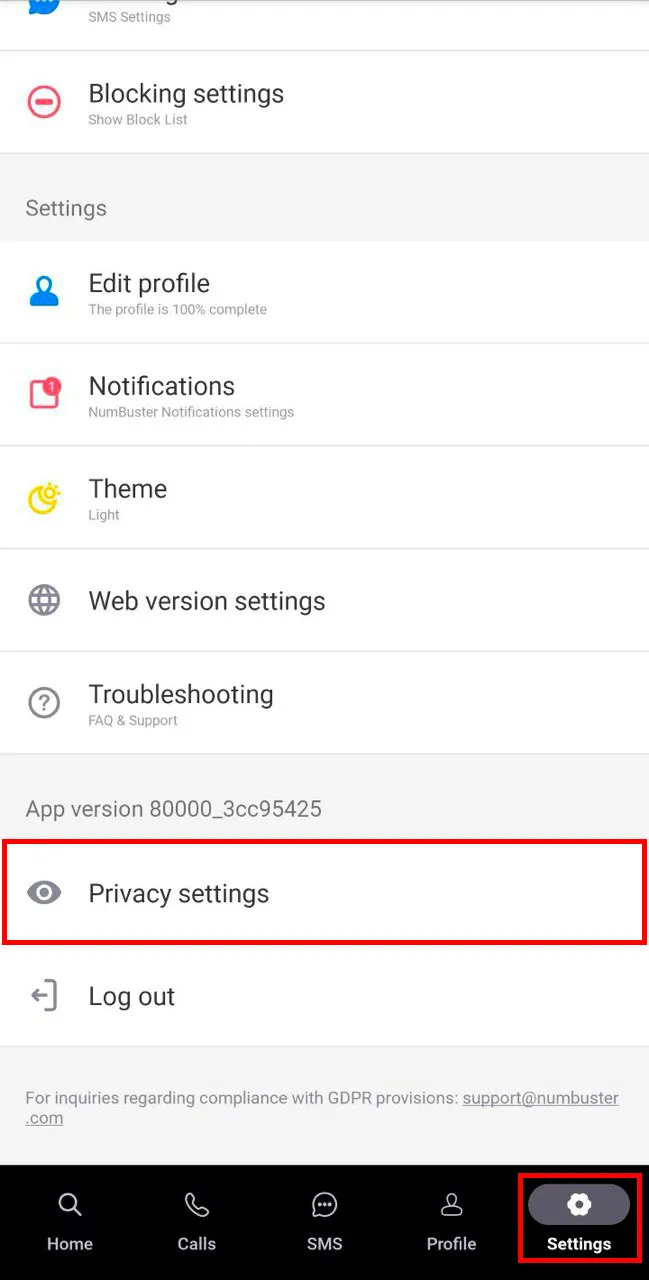
How to Access Privacy Settings
In the app, go to Settings → Privacy Settings.
Available Features
- Hide Details — hides details on the phone number page you manage from all users
- Disable Page Visits (subscribers only) — prevents others from opening your phone number page
- Hide My Visits (subscribers only) — allows you to view other users’ phone number pages anonymously
- Delete All Ratings — removes all tags (ratings) you have left on other users’ phone number pages
- Delete All Reviews — removes all reviews you have left on other users’ phone number pages
- Delete All Notes — removes all notes you have added to other phone numbers
- Clear Blocklist — completely clears the list of phone numbers you have blocked
- Delete All Images — removes all images you have added to phone number pages
- Clear Activity History — completely deletes your entire activity history in NumBuster
- Delete Account — completely deletes your NumBuster account along with the linked phone number and all activity. Note: A deleted account can only be restored by contacting our Support team
 फंक्शंस


 Tariffs
 सहायता